Pension balance
To see what has been and will be paid into your pension pot you must select the Pension balance option on Your pension.
Pension balance page


This will show you how much your pension is currently worth, and how much you and your employer have paid in. Only contributions that have already been invested will be included in your pension balance.
After three months of saving with Smart Pension, you'll see a chart that tracks your pension balance over time. After a year you can toggle between the one year and three year view options. The monthly value on the chart for previous months is taken from the first Saturday of the month.
Please note that the total value shown is after fees, charges, withdrawals, adjustments and transfers out.
Tip: if you hover over the chart, your pension balance will displayed at that particular point in time (laptop and desktop only).
To change how much you contribute to your pension, please see Change how much you pay into your pension.
Understanding your contribution
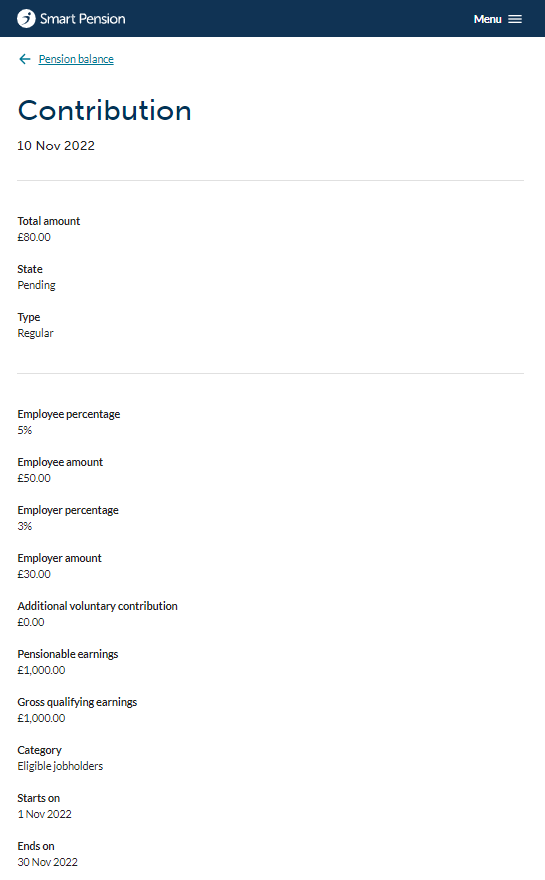
The breakdown of the contribution is shown in the screenshot. The definition of the different elements is shown below:
- State - The current status of your contribution, ranging from "Pending" through to "Invested." Only contributions that have been invested make up your pot value.
- Employee percentage - the percentage that you contributed.
- Employee amount - the amount that you contributed.
- Employer percentage - the percentage that your employer contributed.
- Employer amount - the amount that your employer contributed.
- Additional voluntary contributions (AVC) - One-off contributions you've made to your pension through your employer.
- Pensionable earnings (PE) - The portion of your GQE that you can contribute to your pension as, in some cases, not all of your earnings are eligible.
- Gross qualifying earnings (GQE) - The portion of your earnings that determines if you're eligible to be enrolled in the pension scheme.
- Category - Your employer assigns you a category when they assess if you are eligible to be automatically enrolled in their scheme. This is based on your age and earnings.
Understanding your transfers In
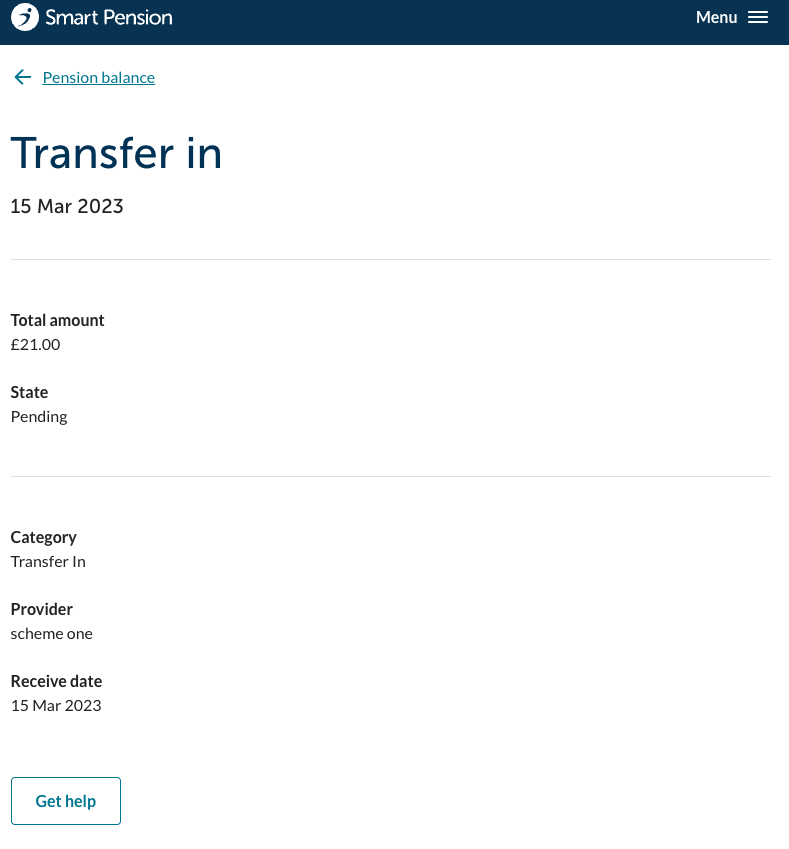
The breakdown of the Transfer In is shown in the screenshot. The definition of the different elements is shown below:
- State - The current status of your transfer, ranging from "Pending" through to "Completed." Only transfers that have been invested make up your pot value.
- Category- Type of transfer In.
- Provider- Name of the ceding pension provider.
Lorem ipsum dolor sit amet elit
Lorem ipsum dolor sit amet, consectetur adipiscing elit, sed do eiusmod tempor incididunt ut labore et dolore magna aliqua. Ut enim ad minim veniam, quis nostrud exercitation ullamco laboris nisi ut aliquip ex ea commodo consequat. Duis aute irure dolor in reprehenderit in voluptate velit esse cillum dolore eu fugiat nulla pariatur.