Listing your admins and signatories
You can view all admins and signatories of your pension scheme by going to the Menu and selecting Company details, then Users and advisers.
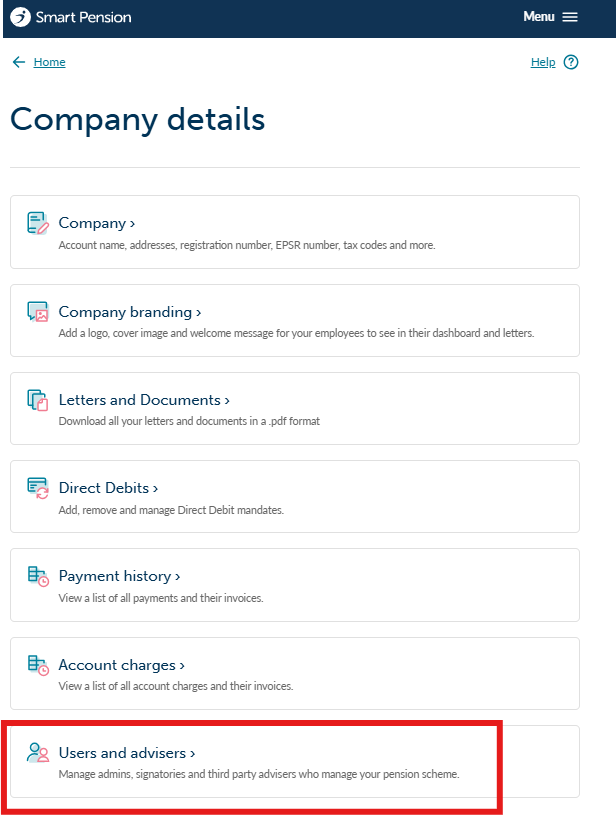
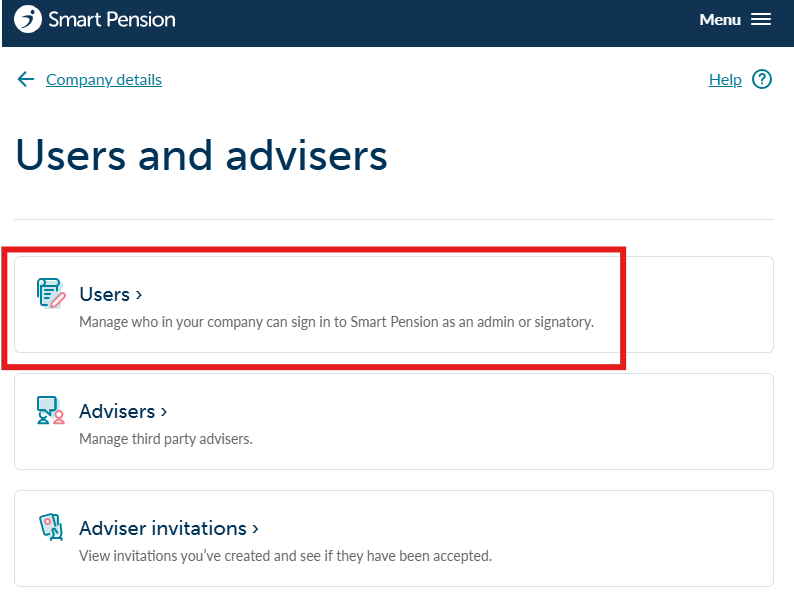
Select Users from the following page
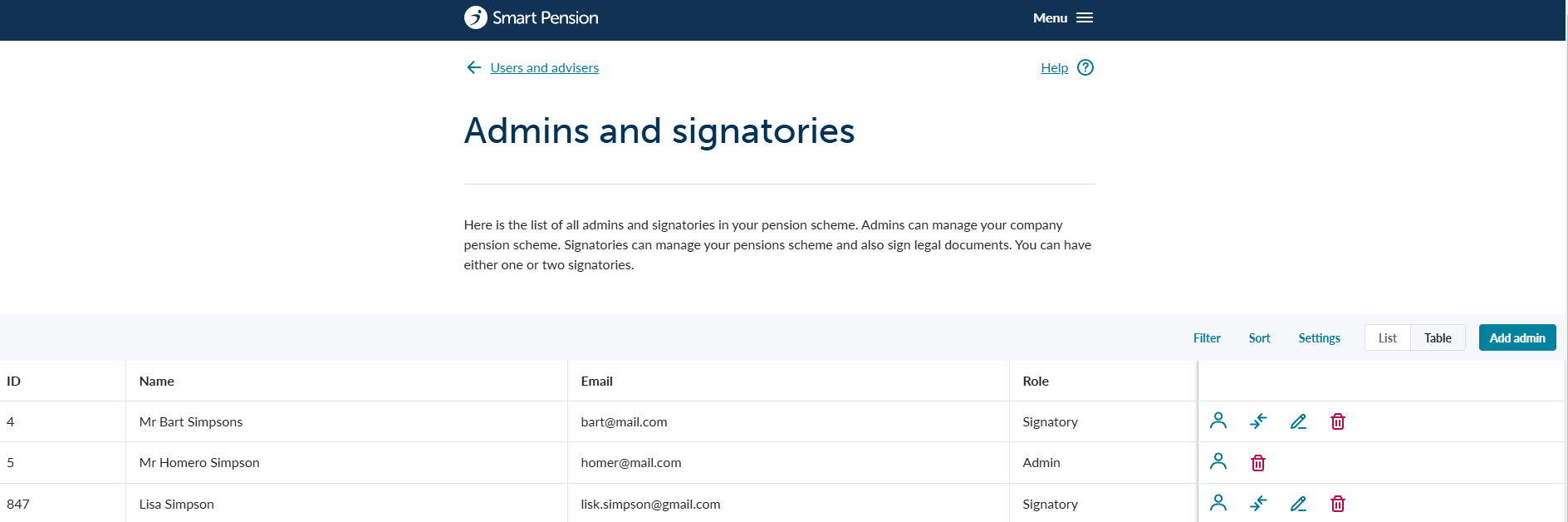
You will now see a list of all existing admins and signatories
Adding a new admin
1 - On the same page as shown above, select the Add admin button and complete the form to add a new admin record. Admins can help you to manage your company pension scheme.

2 - Once you have completed the relevant fields on the form, press the 'Save user' button to save your changes.
Removing an existing admin
1 - On the same page as shown above, select the bin icon from the record you want to remove and confirm your choice.

For help with adding and removing signatories, please see our support article.
Lorem ipsum dolor sit amet elit
Lorem ipsum dolor sit amet, consectetur adipiscing elit, sed do eiusmod tempor incididunt ut labore et dolore magna aliqua. Ut enim ad minim veniam, quis nostrud exercitation ullamco laboris nisi ut aliquip ex ea commodo consequat. Duis aute irure dolor in reprehenderit in voluptate velit esse cillum dolore eu fugiat nulla pariatur.