Updating admins' and signatories' details
As an admin or signatory, you can access your Admins and signatories list and update the details of an administrator of your company. This page is visible by the person responsible for managing the scheme (Administrators or Advisers).
If you are an admin or signatory, you can access your personal details in the Profile details page, which can be accessed through the Menu.
Use the instructions below to update an administration account:
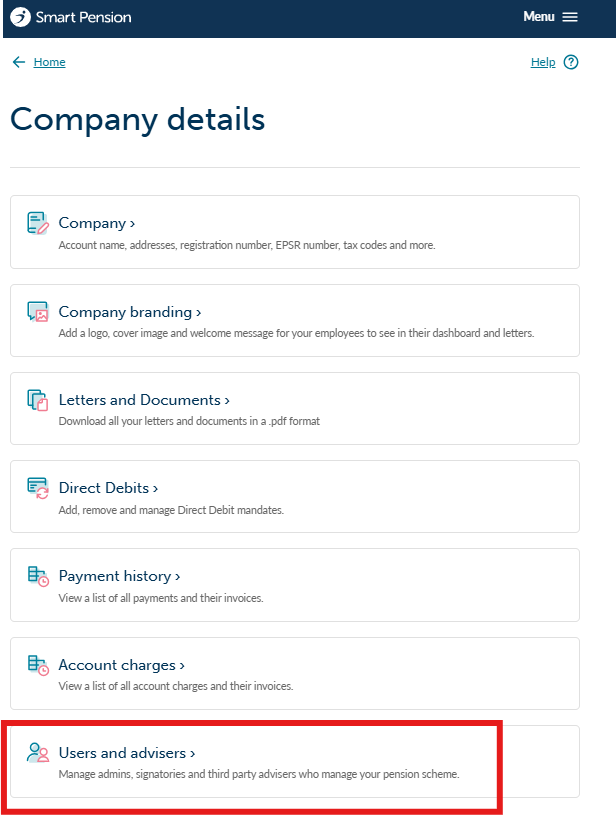
1. You can view all admins and signatories of your pension scheme by going to the Menu and selecting Company details, then Users and advisers.
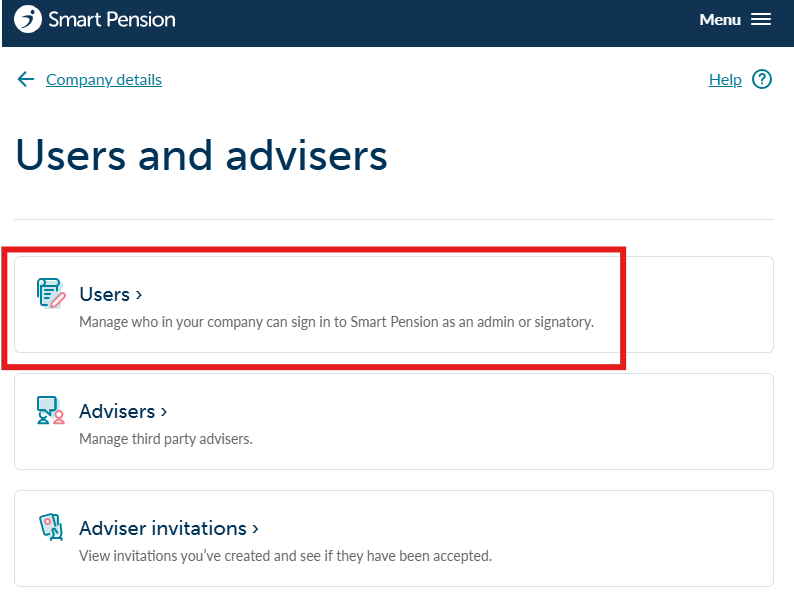
2. Select Users from the following page
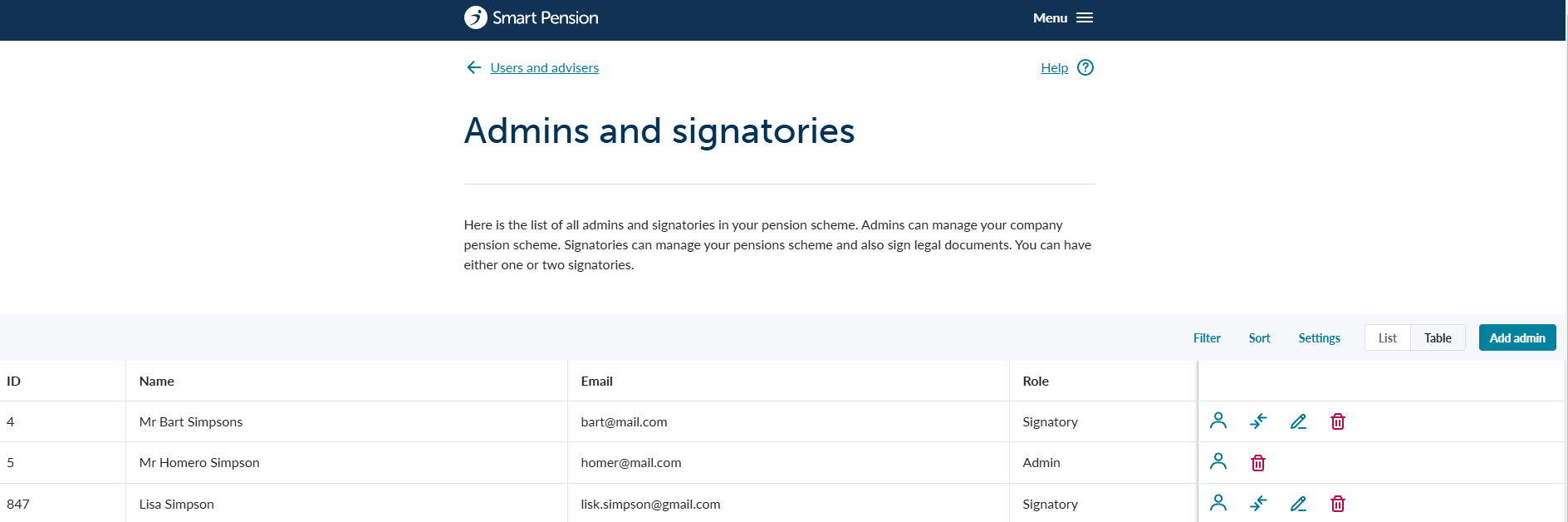
3. You will now see a list of all existing admins and signatories
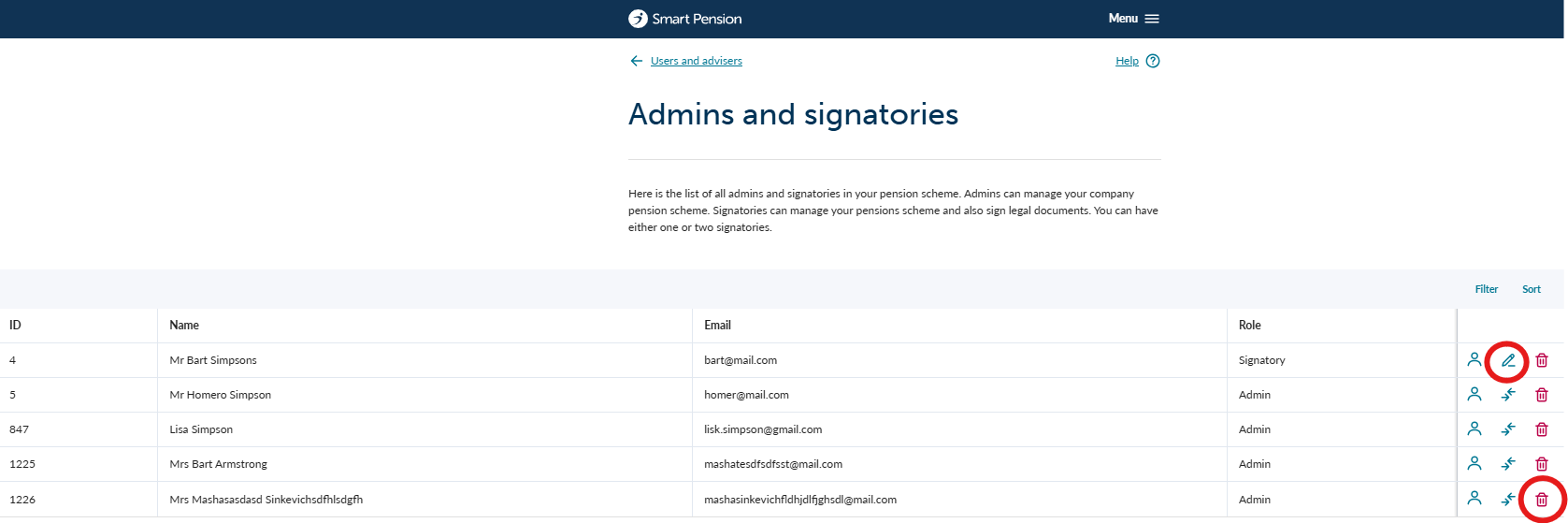
4. On the next screen select the 'Edit details' button next to the administrator you wish to update.

5. Clicking on this will take you the Edit details page where you can update the details. We strongly recommend that you complete all fields.

6. Press the Save user button to save changes.
Updating Admins and Signatories permissions
There are 2 actions you can perform:
- Replace a signatory with an admin and vice-versa. To do this, select the option shown below and select the admin record that will replace the signatory. Please note, there must always be at least one signatory record.
- Delete an admin or signatory record. To do this, select the bin icon and confirm your choice.
When you delete an admin they will also be removed from the notification centre so they will no longer receive communications from us.

Lorem ipsum dolor sit amet elit
Lorem ipsum dolor sit amet, consectetur adipiscing elit, sed do eiusmod tempor incididunt ut labore et dolore magna aliqua. Ut enim ad minim veniam, quis nostrud exercitation ullamco laboris nisi ut aliquip ex ea commodo consequat. Duis aute irure dolor in reprehenderit in voluptate velit esse cillum dolore eu fugiat nulla pariatur.