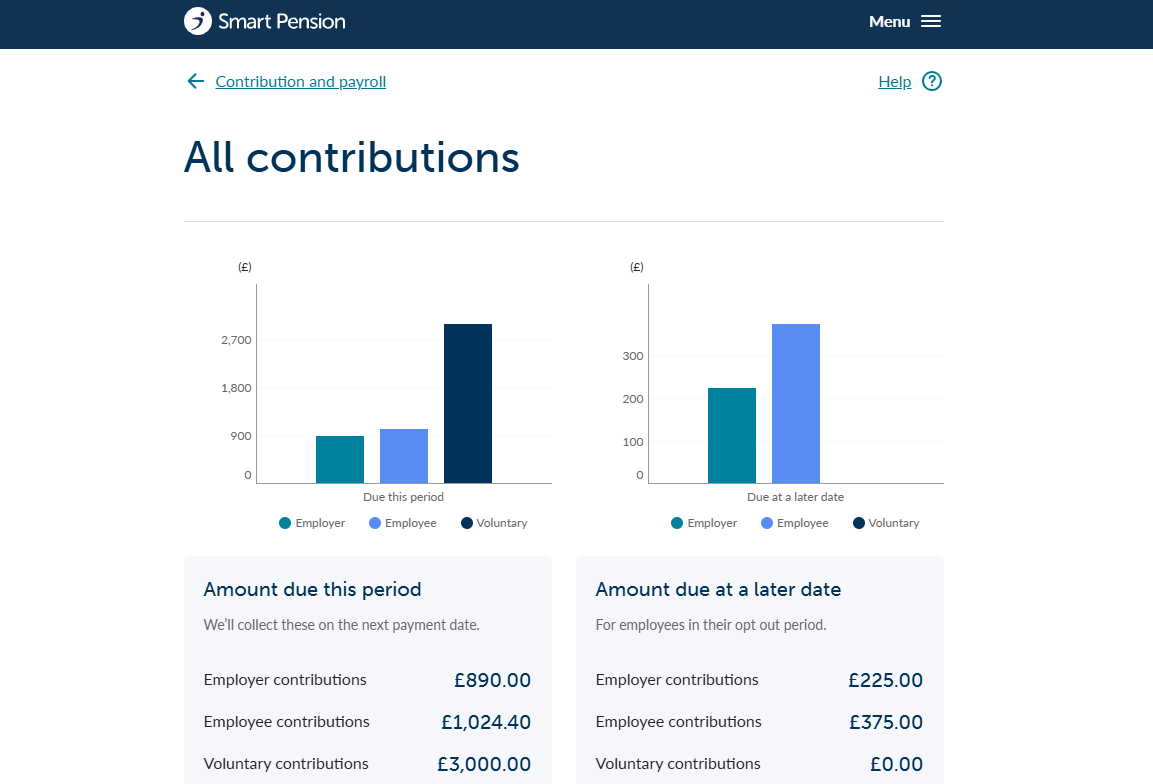
When you upload contribution calculations - either with a PAPDIS file, through an API submission, or through our assessment tool - they’ll be added to your Contributions page. The Contributions page shows everything that's due to be paid, and the contributions that have already been paid.
To get to your Contributions page, go to Menu, select Contribution and payroll and then All contributions.
Editing a contribution
Using the icons on the far right column of the table below, you can change any contribution record that still shows “created” in the State column, or delete records and re-upload them if necessary.


Your contribution history
In the table you can pick and choose which columns to view. This will either be:
- State – The current status of the contribution, ranging from "Created" through to "Invested."
- Category – The assessment result for the employee. This will be either be “Eligible jobholder”, “Non-eligible jobholder”, “Entitled workers”, or "No duties".
- Starts on and Ends on – The start and end date of the pay period for the contribution.
- GE – Gross qualifying earnings. The portion of earnings which determine if an employee is eligible to be enrolled in the pension scheme. This column may be blank for some PAPDIS uploads or submissions from API
- PE – Pensionable earnings. The portion of gross qualifying earnings pension contributions are calculated from.
- AVC – Additional voluntary contributions. One-off contributions employees have made.
- Employer (ER) amount and employee (EE) amount – The amounts that you and the employee have contributed during the pay period. These are shown as monetary amounts or percentages.
- Total contributions – The total amount contributed by both you and your employee during the pay period.
You can filter your contributions by date, employee name, and pay period duration using the Filter button in the table.
You can also export your contributions information to a downloadable file using the buttons above the table.

Lorem ipsum dolor sit amet elit
Lorem ipsum dolor sit amet, consectetur adipiscing elit, sed do eiusmod tempor incididunt ut labore et dolore magna aliqua. Ut enim ad minim veniam, quis nostrud exercitation ullamco laboris nisi ut aliquip ex ea commodo consequat. Duis aute irure dolor in reprehenderit in voluptate velit esse cillum dolore eu fugiat nulla pariatur.