Sign in to your Smart Pension account and scroll down the page. You'll see a list of six tasks. Click on Verify identity.
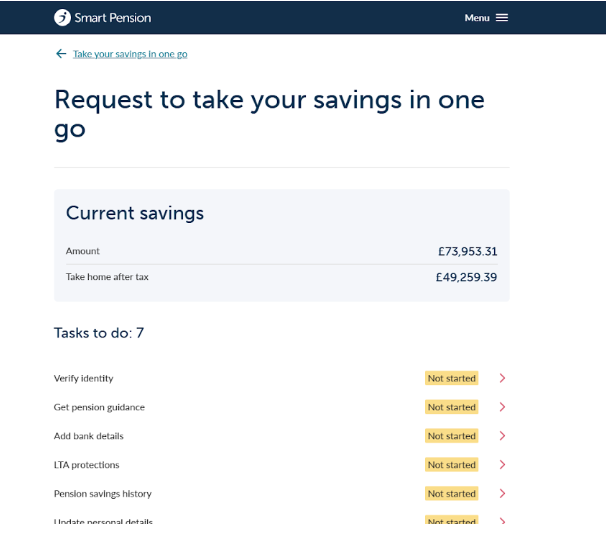
You’ll be taken to the Verify identity page. Read through all the information provided as you’ll need to provide images or PDF files of your proof of identity and address documents.
TIP: it’s a good idea to do this before going through to Shufti Pro. You’ll then be able to easily upload your images or files. Files must be in either PNG, JPG or PDF format.
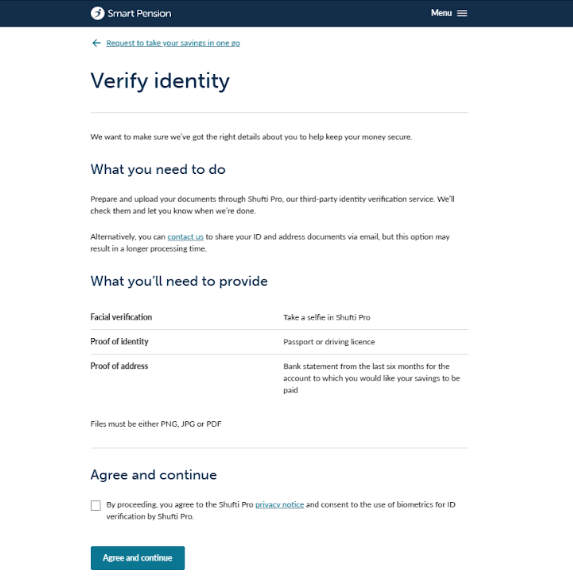
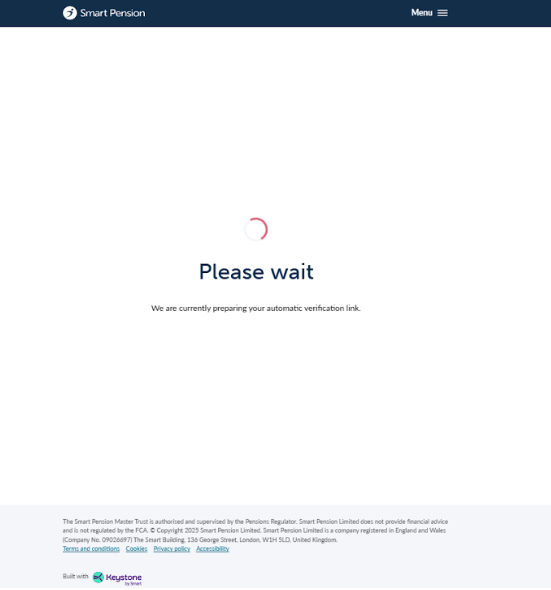
Once you’re ready to proceed, click the tick box and then the Agree and continue button. You’ll be asked to wait a few moments whilst we prepare your automatic verification link.
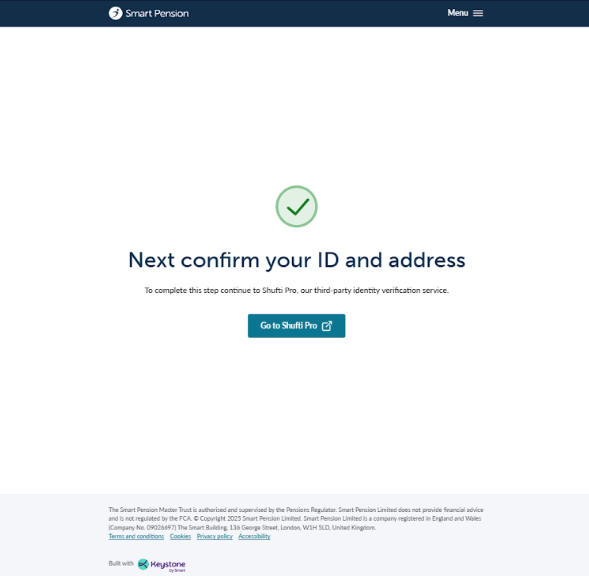
Once this has been completed, you’ll be asked to confirm your ID and address. Click on the Go to Shufti Pro button.
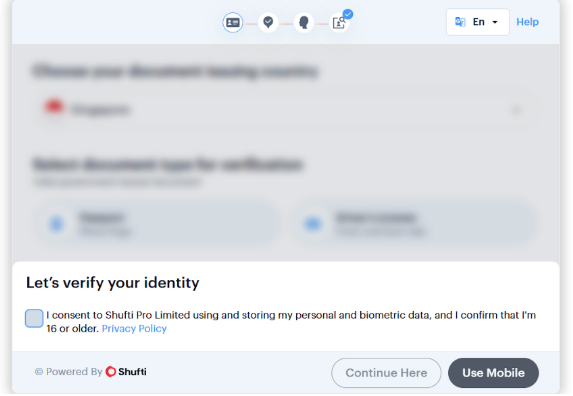
A pop up will appear asking you to consent to Shufti Pro Limited using and storing your personal and biometric data. If you’re happy to proceed, click the tick box and then Continue Here.
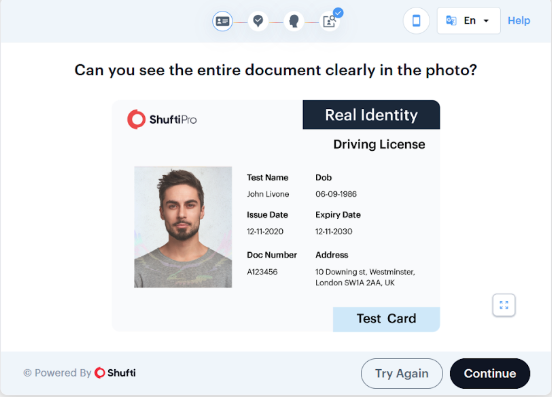
Proof of identity documents - passport or driving licence
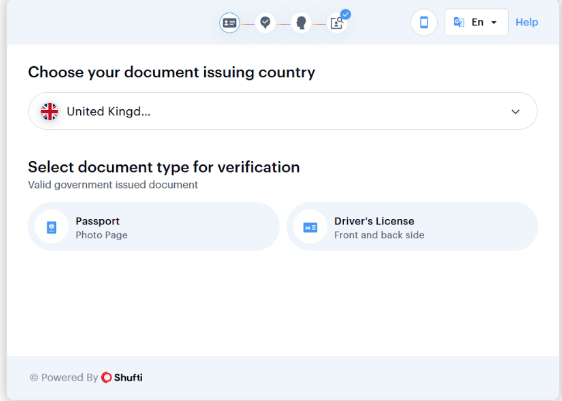
Select which country your passport or driving licence was issued in. Then select which document type you are are using for verification, either passport or driving licence.
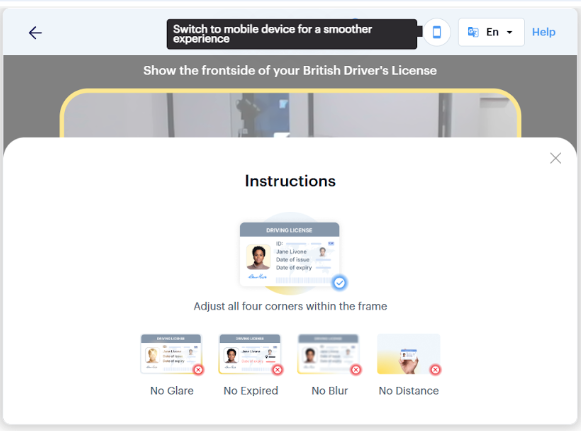
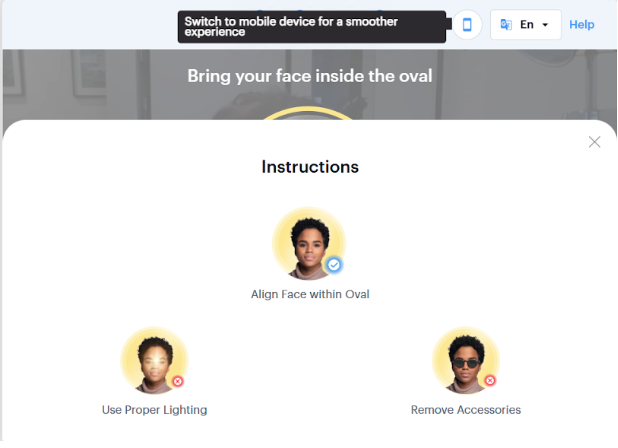
The camera function and an instruction box will open. Click the X to exit the instruction box.
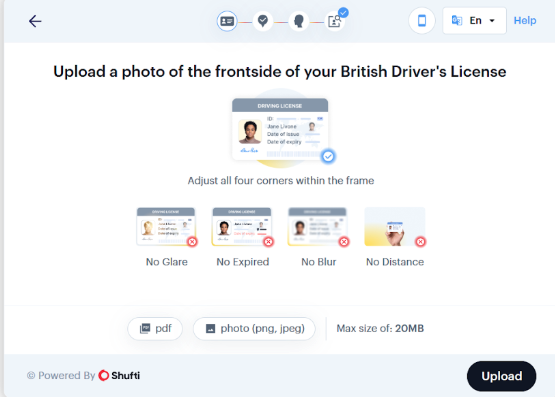
Then click on the Upload button. Select the image of your document type to upload and click open.
If you’re happy that the photo you have taken meets the requirements on screen, click Continue.
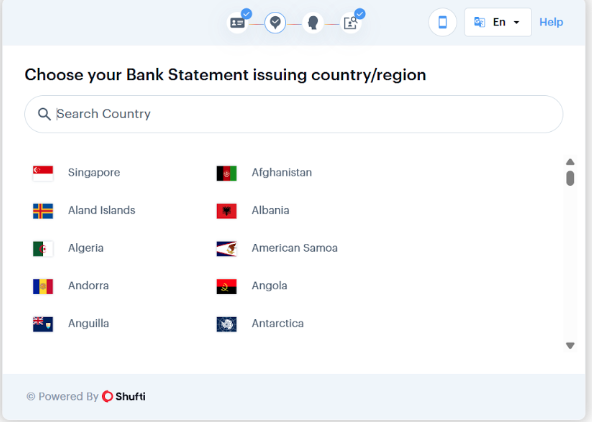
Proof of address document - bank statement
You’ll then be asked to choose the issuing country of your bank statement.
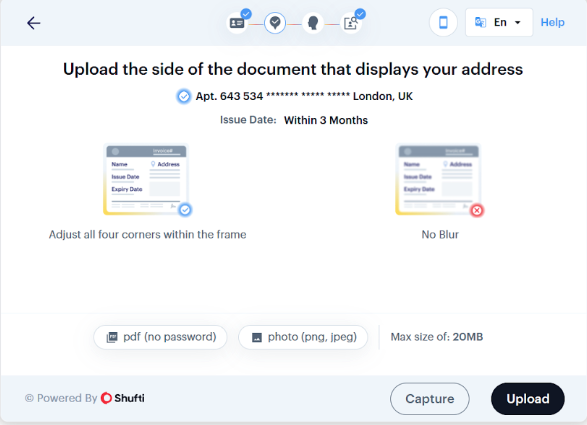
Then click on the Upload button, select your bank statement file.
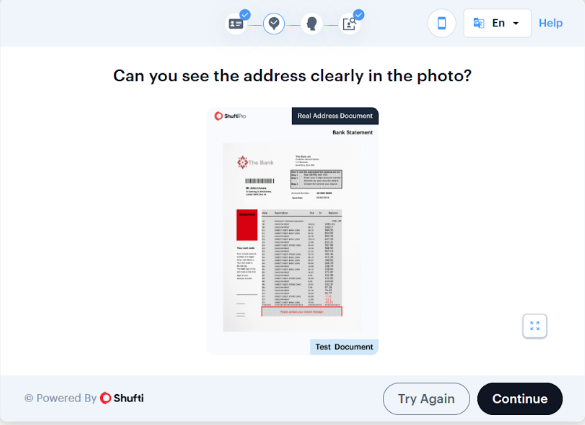
Click Open, then Continue.
Facial verification
The camera will now open for facial verification. Follow the instructions on screen and a photo will be taken and automatically uploaded for you.
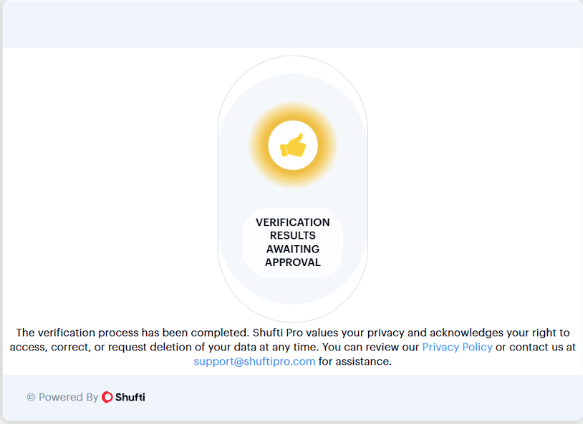
Your verification results will be waiting approval and you’ll be redirected back to your Smart Pension account.
Lorem ipsum dolor sit amet elit
Lorem ipsum dolor sit amet, consectetur adipiscing elit, sed do eiusmod tempor incididunt ut labore et dolore magna aliqua. Ut enim ad minim veniam, quis nostrud exercitation ullamco laboris nisi ut aliquip ex ea commodo consequat. Duis aute irure dolor in reprehenderit in voluptate velit esse cillum dolore eu fugiat nulla pariatur.