Signing in with an activation email
If your employer gives us your email address, we'll send you an email asking you to activate your account.
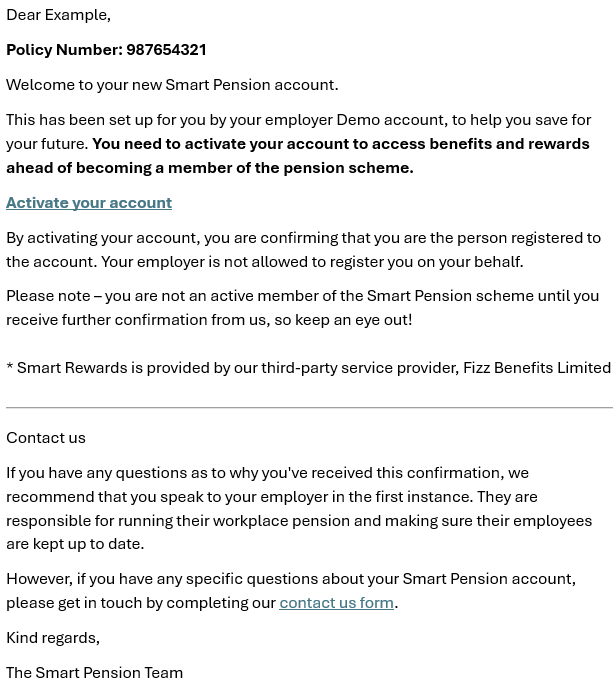
To activate your account, click the Activate your account button in the email. You will then be prompted to enter your date of birth.

Once you've entered this, you'll go to a page where you can create a new password.

Once you've created your password, you'll be taken to the 'Your pension' page. You can sign in at any time with your email address and new password.
Signing in with a letter from your employer
If your employer doesn’t give us your email address when they set up your account, they’re responsible for providing you with temporary account details like these:

These sign in details will be provided to you in your welcome letter.
To sign in with your temporary account details:
- Go to the sign in page provided in your letter
- Enter your temporary username in the email/username field, and your temporary password in the password field
- Click the Sign in button.
You will then be prompted to enter your date of birth.
Once you've entered this, you'll see the following page where you can add an email address and create a password. You'll use these new details to sign in, in the future.

Now that you have activated and signed into your account for the first time, you can follow the steps in How do I sign in to my member account? when you sign in in the future.
Further support on how to sign in and update personal details
Related articles
Lorem ipsum dolor sit amet elit
Lorem ipsum dolor sit amet, consectetur adipiscing elit, sed do eiusmod tempor incididunt ut labore et dolore magna aliqua. Ut enim ad minim veniam, quis nostrud exercitation ullamco laboris nisi ut aliquip ex ea commodo consequat. Duis aute irure dolor in reprehenderit in voluptate velit esse cillum dolore eu fugiat nulla pariatur.