To manage your account, sign in and click Menu in the top right-hand corner, then select Personal details from the menu.

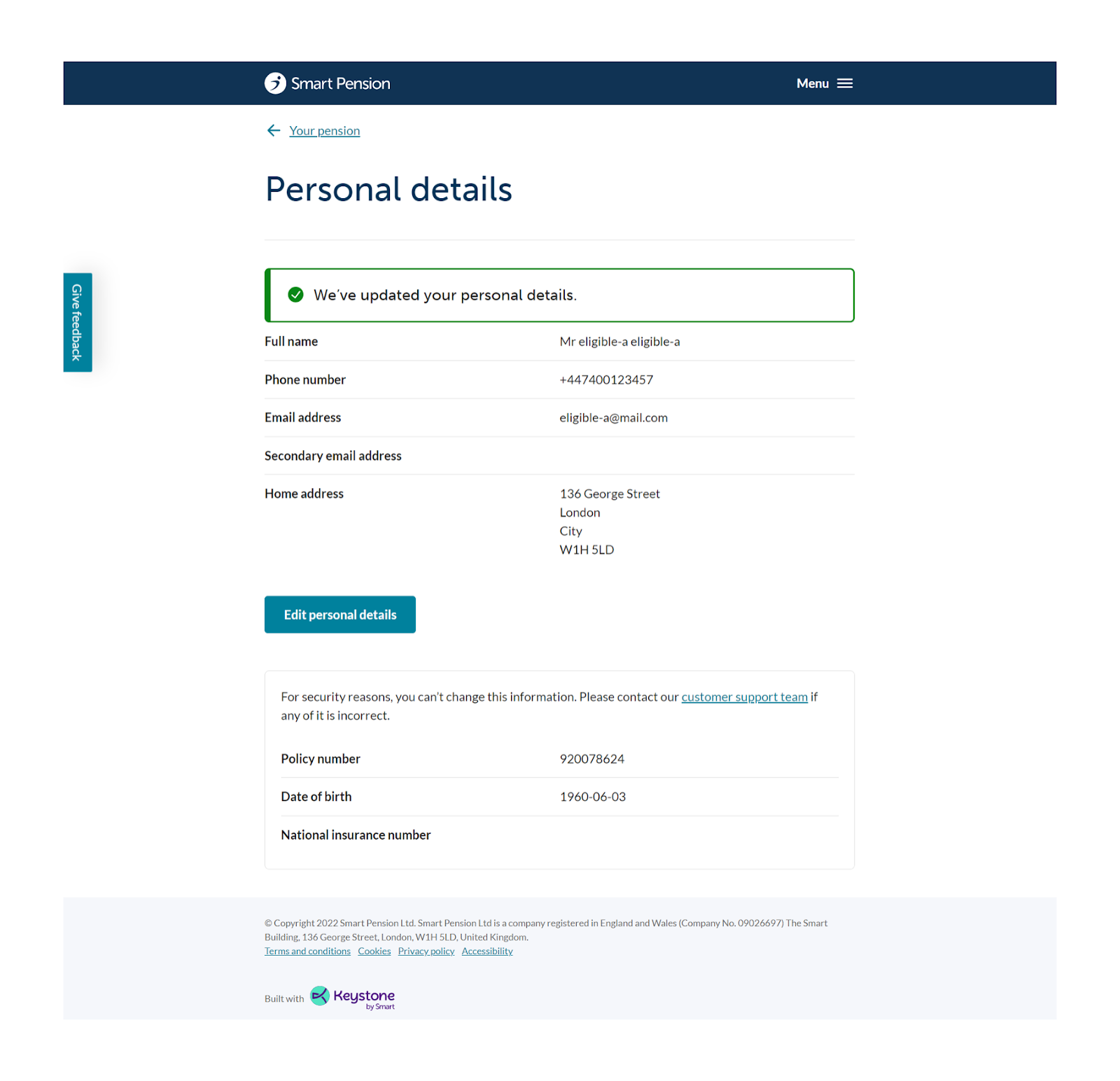
Here you can view your personal details, including your name, home address, phone number, and email address. Click on Edit personal details to make changes.

Once you have made the required changes click on Save personal details. The personal details at the bottom of the page - Policy number, Date of birth and National insurance number - cannot be changed.

You will receive a message confirming that the changes have been saved.
Changing your password
To change your password click on the Menu option as above and select Security options.

Enter your current password and then add a new password and confirm it. The new password needs to be a minimum of 14 characters with a mix of letters, numbers and symbols. Click on Change password once done and you will receive a confirmation message confirming the password has been changed.

Lorem ipsum dolor sit amet elit
Lorem ipsum dolor sit amet, consectetur adipiscing elit, sed do eiusmod tempor incididunt ut labore et dolore magna aliqua. Ut enim ad minim veniam, quis nostrud exercitation ullamco laboris nisi ut aliquip ex ea commodo consequat. Duis aute irure dolor in reprehenderit in voluptate velit esse cillum dolore eu fugiat nulla pariatur.